Help Center / Clients / Getting started

    How to invite clinicians to your platform

    Inviting clinicians to your platform allows them to send cases directly to you. Here’s how to quickly invite and manage clinicians from your dashboard.

    1. 1

      Click Invited clinicians at the bottom of the left-hand sidebar.
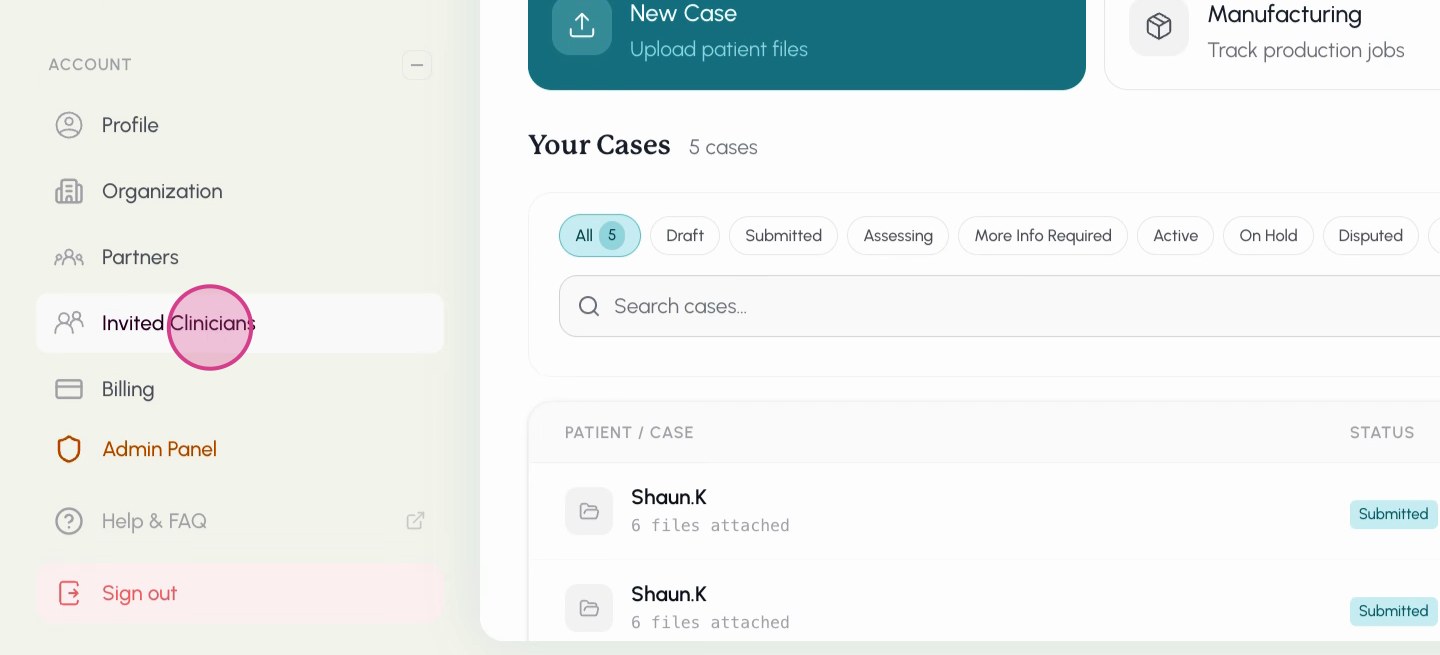
      Step 1: Click Invited clinicians at the bottom of the left-hand sidebar.
    2. 2

      On the Invited clinicians page, enter the clinician’s name in the provided field. Don’t worry if you don’t have the exact name; they can update it when they onboard.
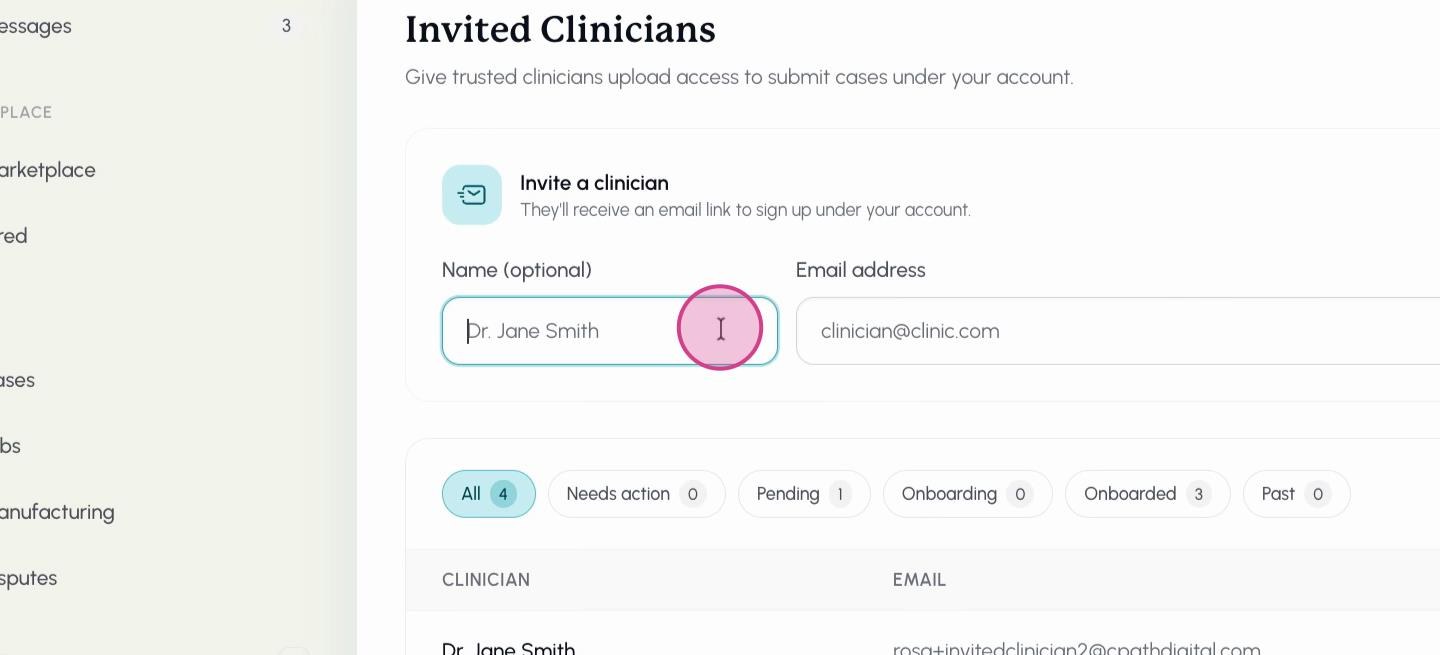
      Step 2: On the Invited clinicians page, enter the clinician’s name in the provided field. Don’t worry if you don’t have the exact name; they can update it when they onboard.
    3. 3

      Enter the clinician’s email address.
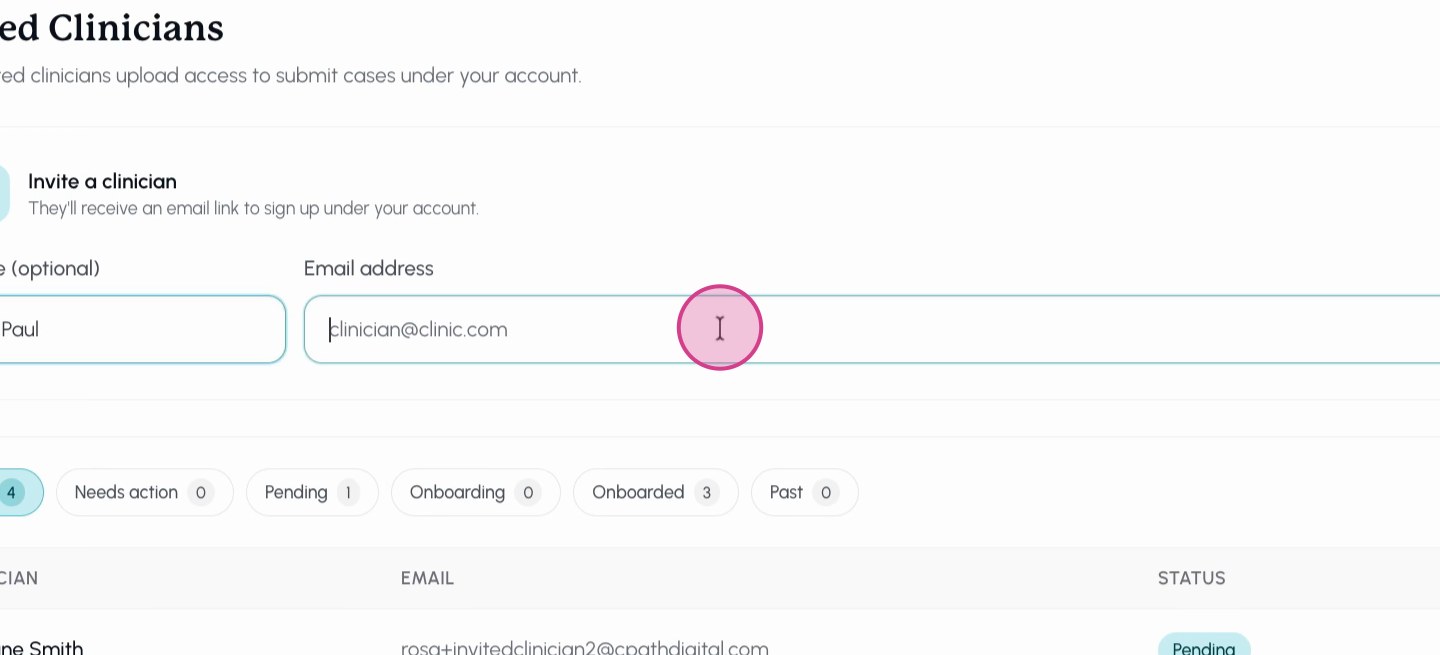
      Step 3: Enter the clinician’s email address.
    4. 4

      Click Send invite. Once you send the invite, the clinician will receive an email with steps to onboard and create their account.
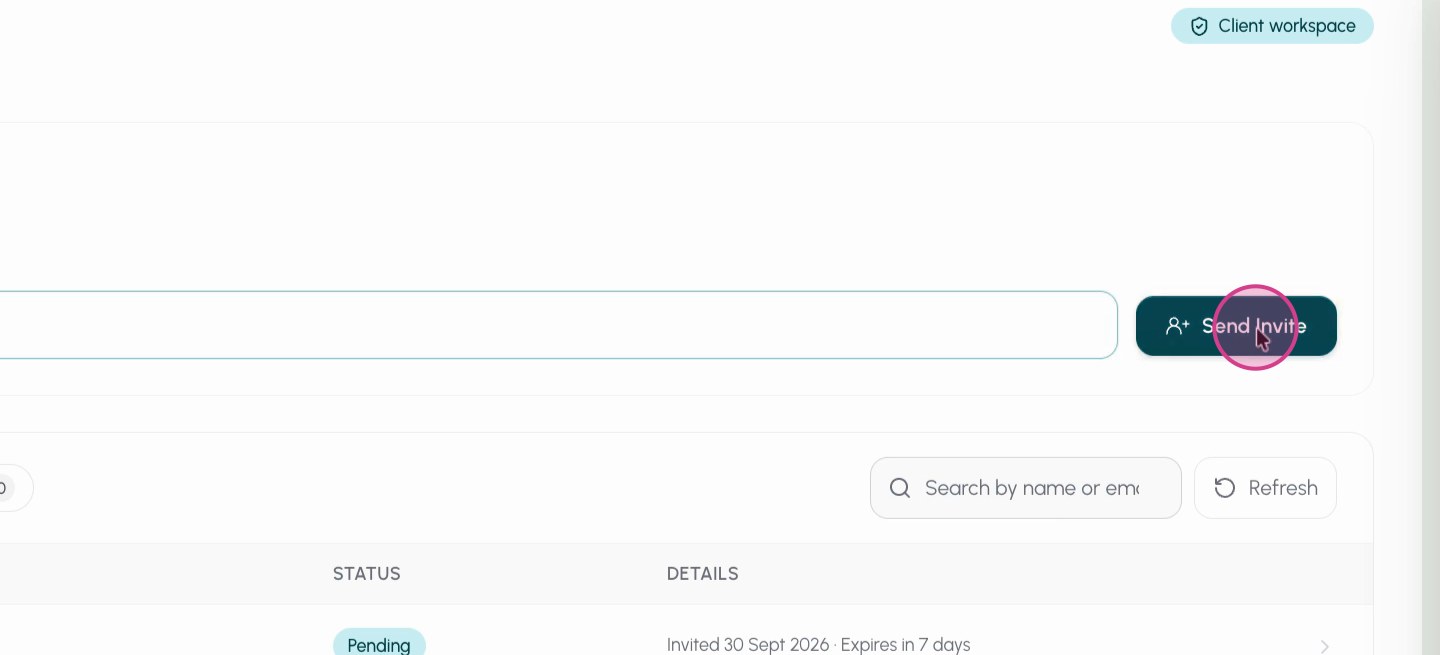
      Step 4: Click Send invite. Once you send the invite, the clinician will receive an email with steps to onboard and create their account.
    5. 5

      If you need to revoke the invite before it’s accepted, click the three dots next to the invite.
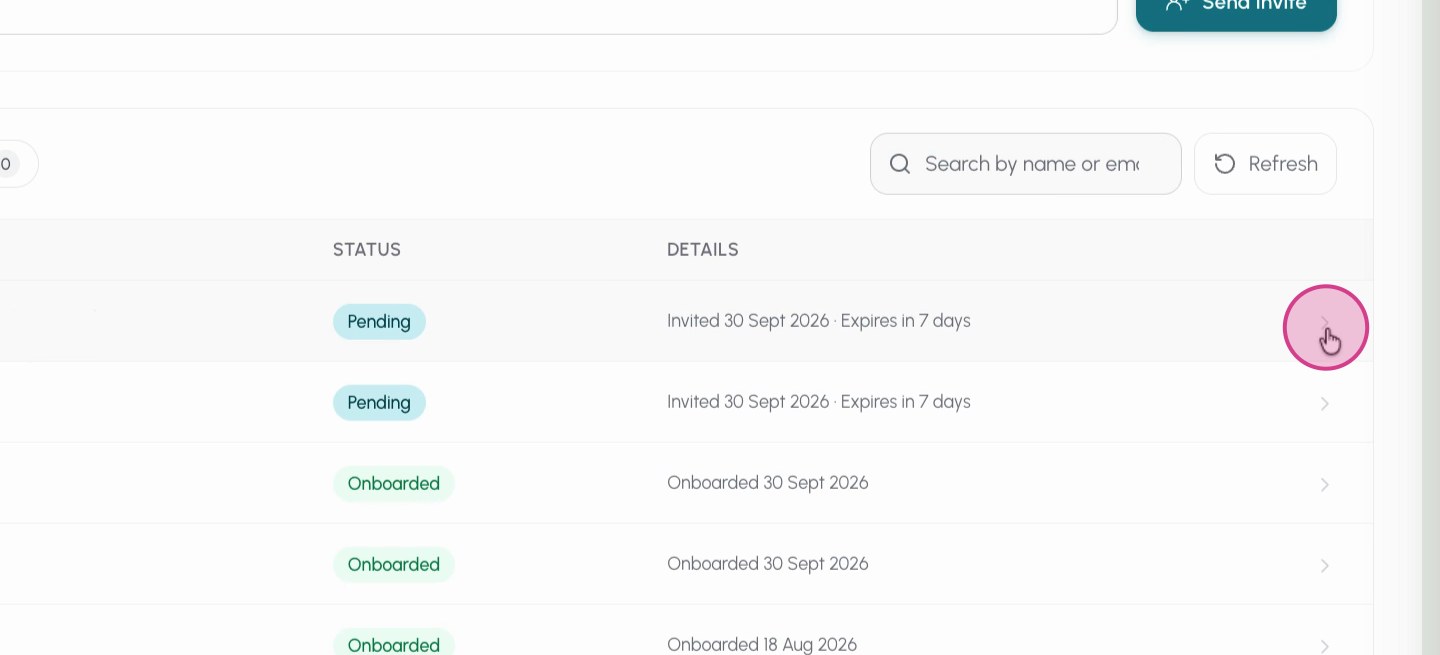
      Step 5: If you need to revoke the invite before it’s accepted, click the three dots next to the invite.
    6. 6

      Select Revoke invitation. Invitations expire in seven days, so check in with your invited clinicians to be sure they accept promptly.
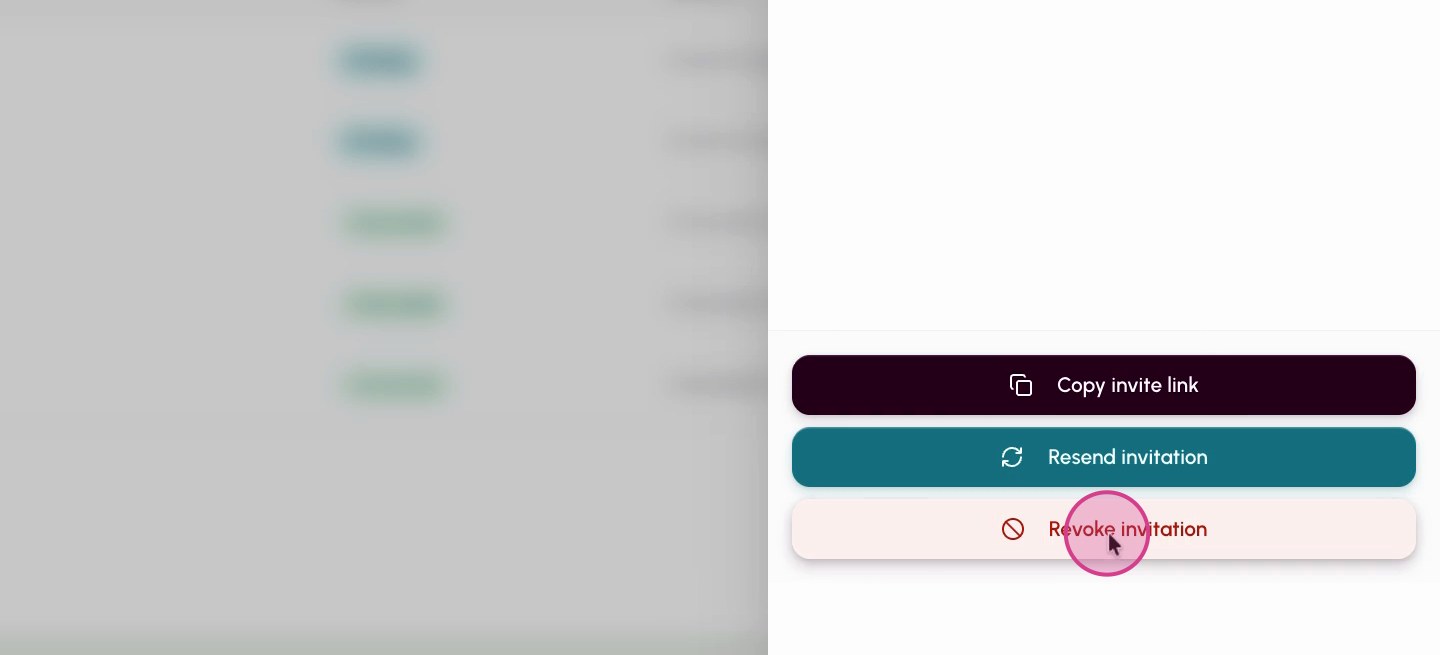
      Step 6: Select Revoke invitation. Invitations expire in seven days, so check in with your invited clinicians to be sure they accept promptly.
    7. 7

      To resend the invite, select the clinician’s name from your account, then click Resend Invitation.
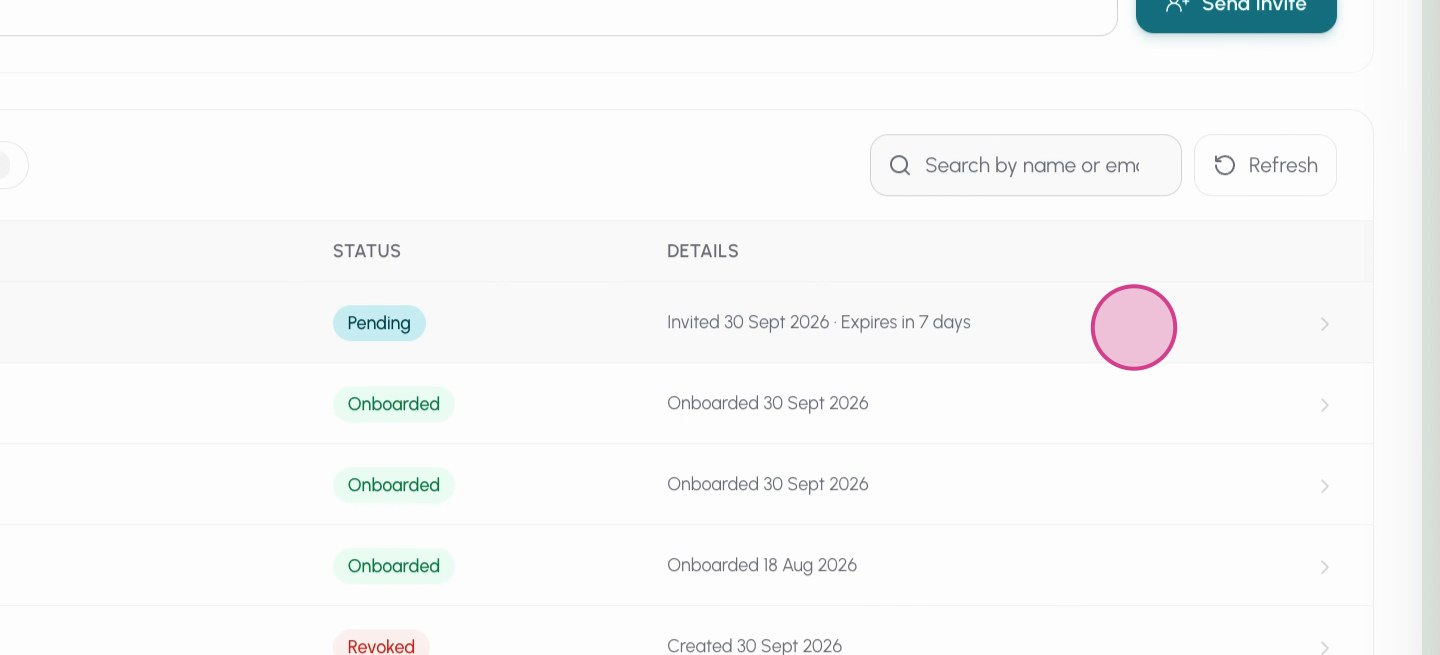
      Step 7: To resend the invite, select the clinician’s name from your account, then click Resend Invitation.
    8. 8

      Alternatively, copy the invite link and paste it into a personal email.
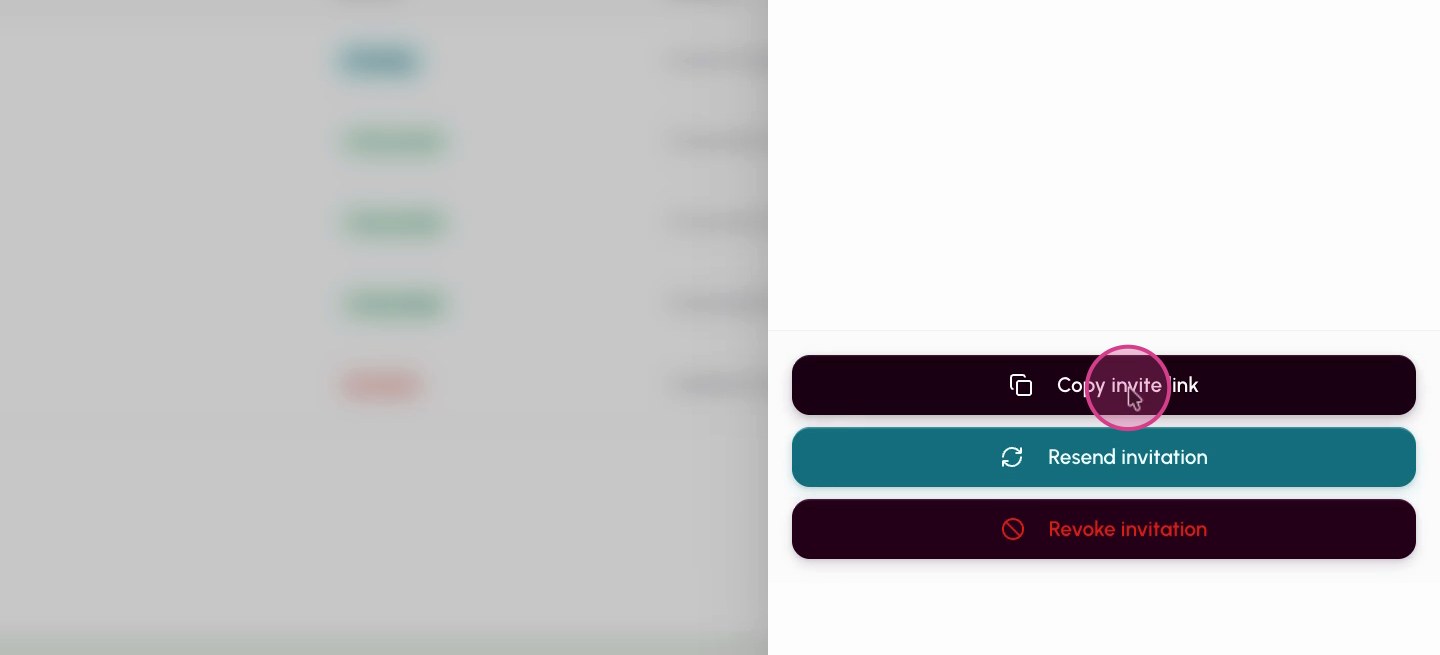
      Step 8: Alternatively, copy the invite link and paste it into a personal email.
    9. 9

      Send the copied link to your clinician directly.

      Step 9: Send the copied link to your clinician directly.
    Inviting clinicians is easy and keeps your team connected. Use the options to resend, revoke, or share the invite link as needed to ensure everyone can join smoothly.

    Newsletter

    Subscribe for insights that help you work smarter, not harder.

    Subscribe