Help Center / Clients / Getting started

    How to navigate the marketplace

    Get the most out of your platform experience by exploring the Marketplace. Whether you’re searching for clinicians, providers, treatment planners or specialists, the Marketplace helps you connect with the right professionals for your needs.

    1. 1

      Click Marketplace in the left sidebar to open the Marketplace.
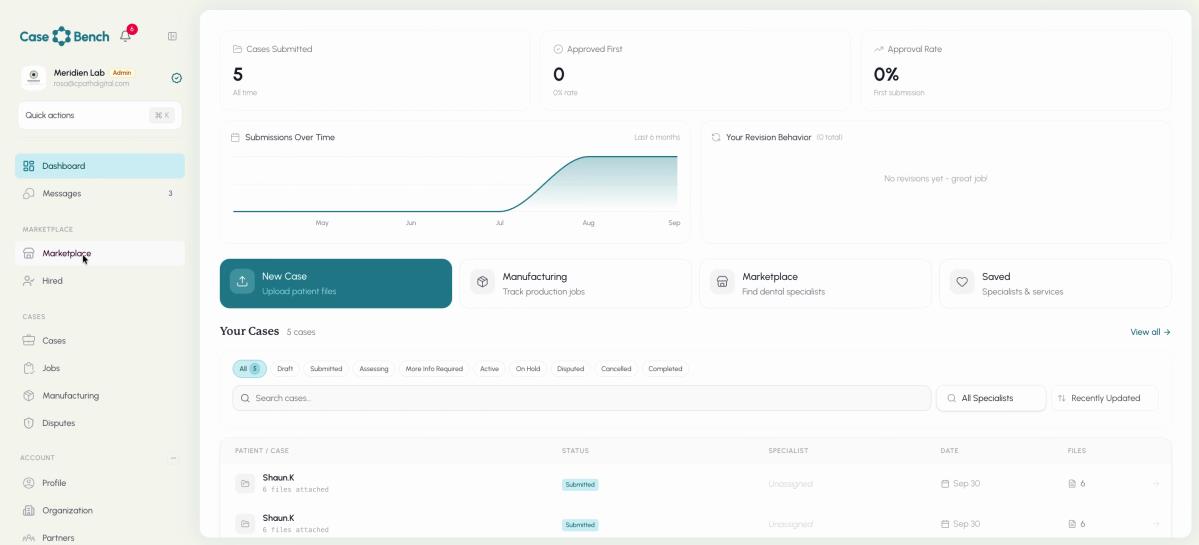
      Step 1: Click Marketplace in the left sidebar to open the Marketplace.
    2. 2

      Browse the list of available planners and providers. Open any profile to view details like education, certifications, services offered, review history and work history.
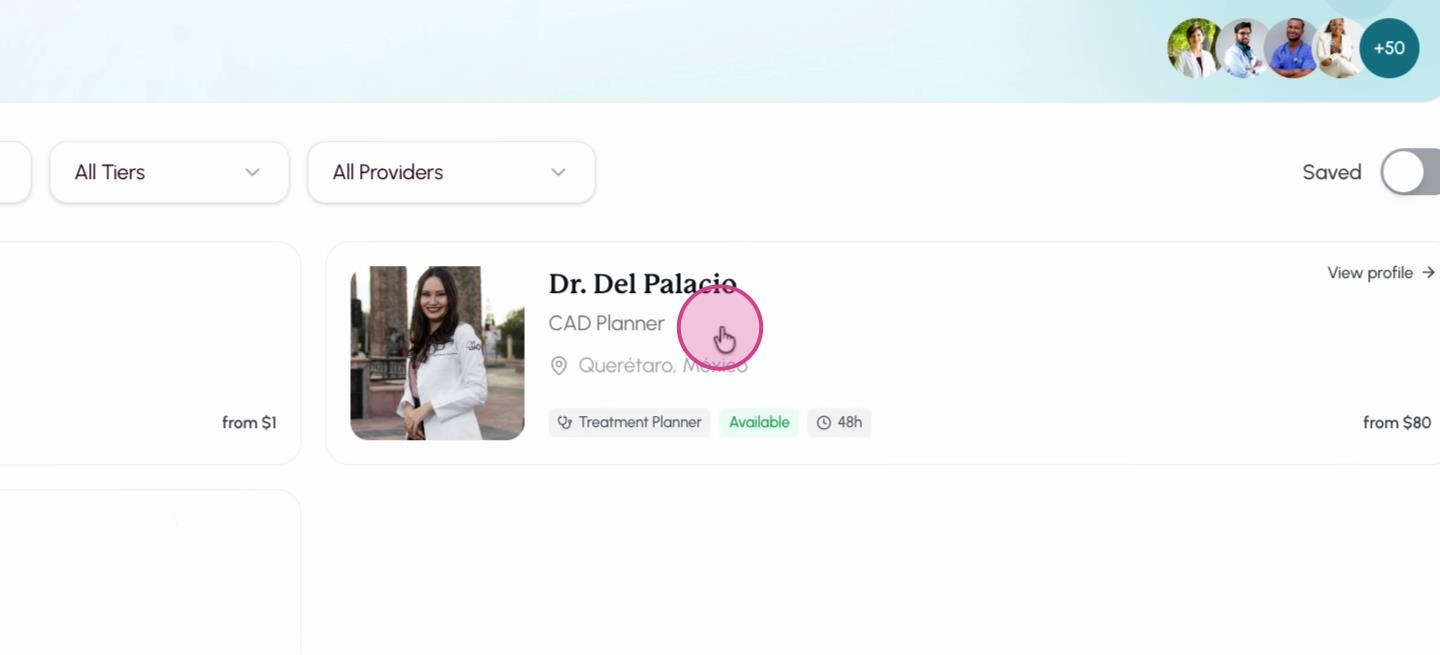
      Step 2: Browse the list of available planners and providers. Open any profile to view details like education, certifications, services offered, review history and work history.
    3. 3

      If you have questions, click Send Message to contact the provider or treatment planner directly.
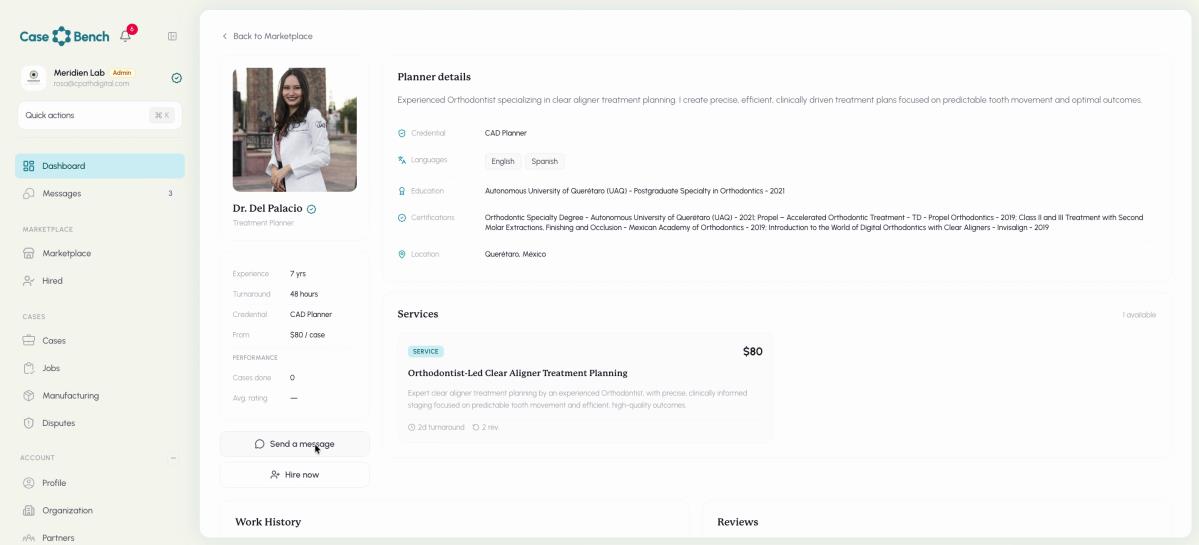
      Step 3: If you have questions, click Send Message to contact the provider or treatment planner directly.
    4. 4

      Request new or refined services if needed. For example, if you've agreed on new pricing or want a provider to add a different service, ask them to update their services catalog.
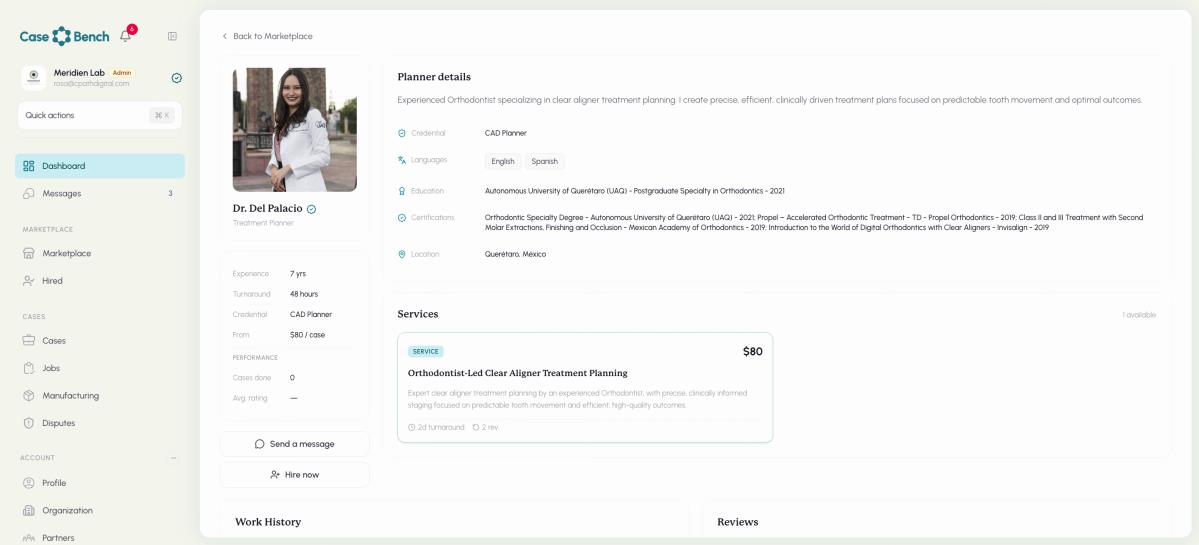
      Step 4: Request new or refined services if needed. For example, if you've agreed on new pricing or want a provider to add a different service, ask them to update their services catalog.
    5. 5

      Once you’re ready, click Hire now to hire a provider. All providers are thoroughly vetted by the CaseBench team to ensure quality and proper certification.
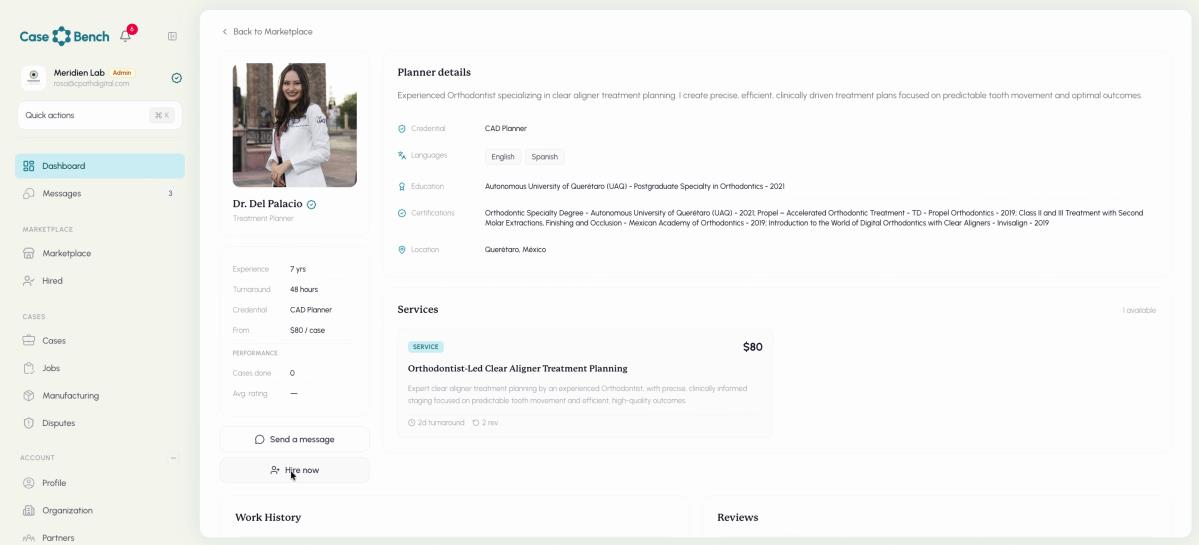
      Step 5: Once you’re ready, click Hire now to hire a provider. All providers are thoroughly vetted by the CaseBench team to ensure quality and proper certification.
    6. 6

      After hiring, you can manage your hires from the Hired section in the sidebar. Review and track the people you've brought onto your team.
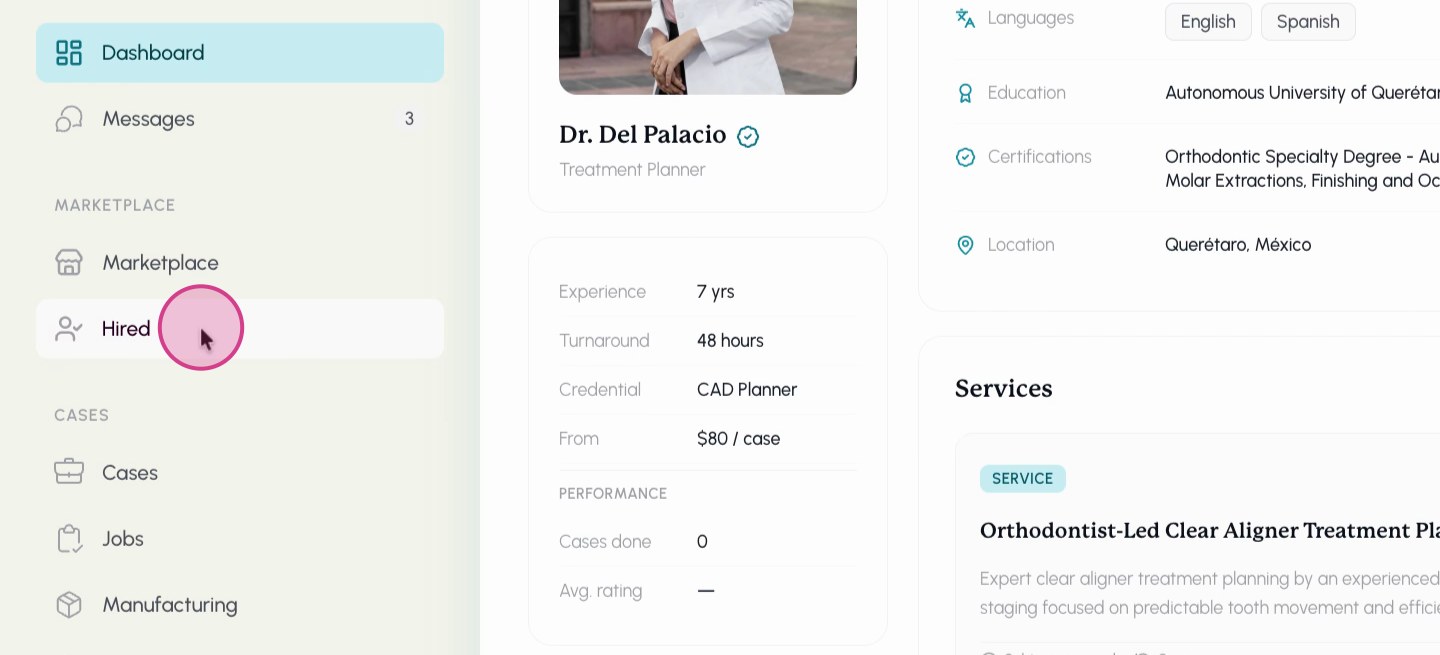
      Step 6: After hiring, you can manage your hires from the Hired section in the sidebar. Review and track the people you've brought onto your team.
    7. 7

      To remove someone from your hired list, select the profile and click the Remove button.
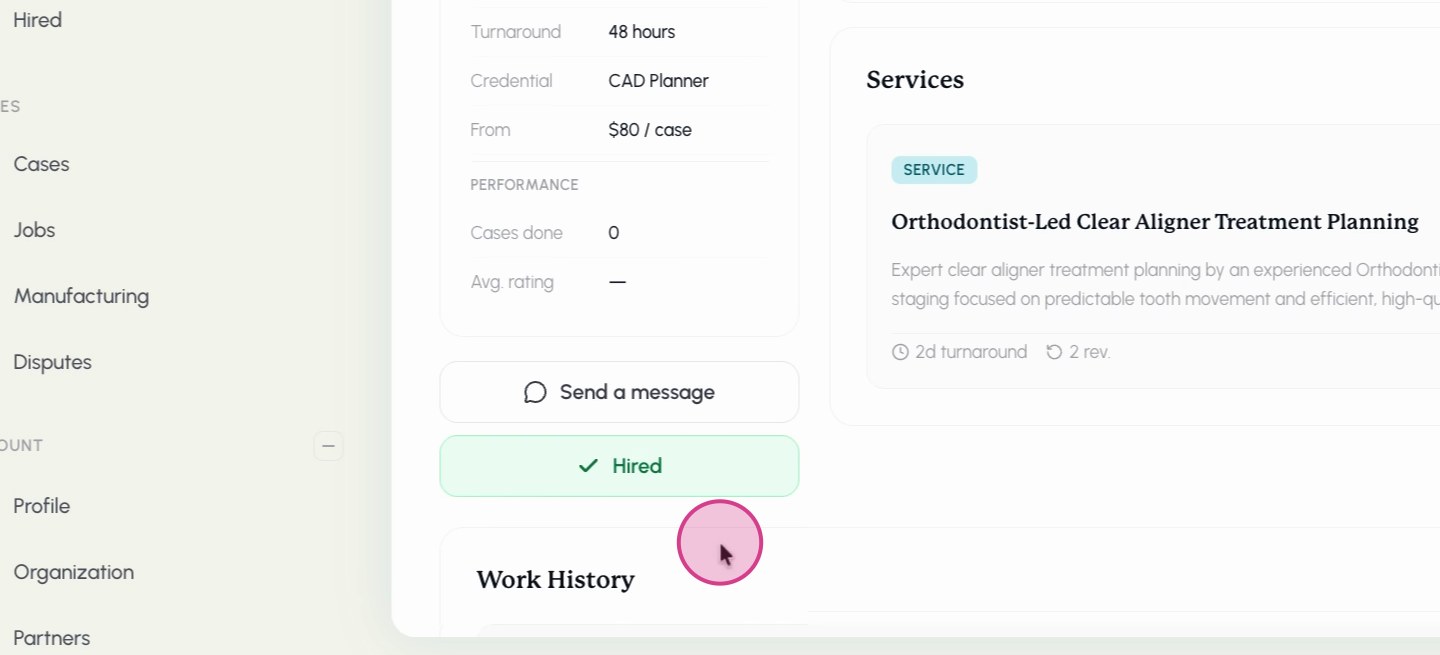
      Step 7: To remove someone from your hired list, select the profile and click the Remove button.
    8. 8

      You can also explore Services by clicking Services if you’re interested in products or one-off service delivery rather than hiring a provider.
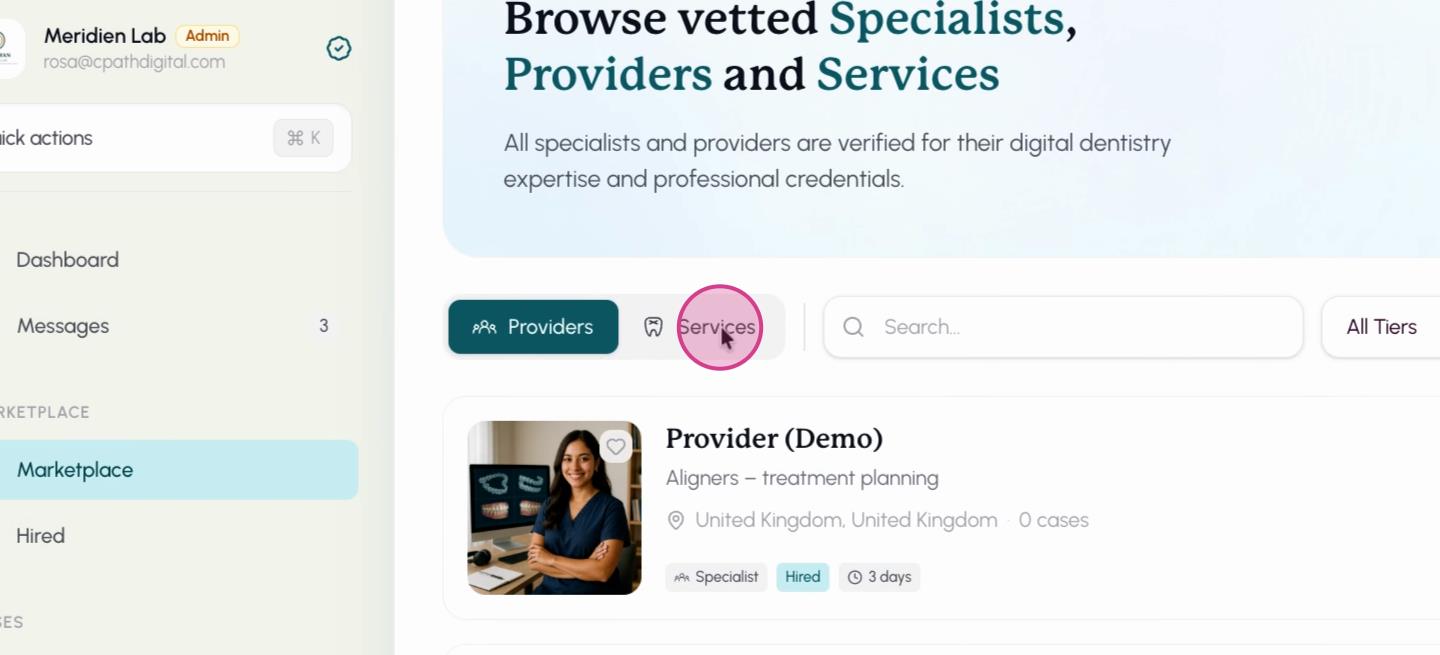
      Step 8: You can also explore Services by clicking Services if you’re interested in products or one-off service delivery rather than hiring a provider.
    9. 9

      To shortlist providers or services for later, click the heart icon ("Love Heart"). Then click Save to add them to your saved list.
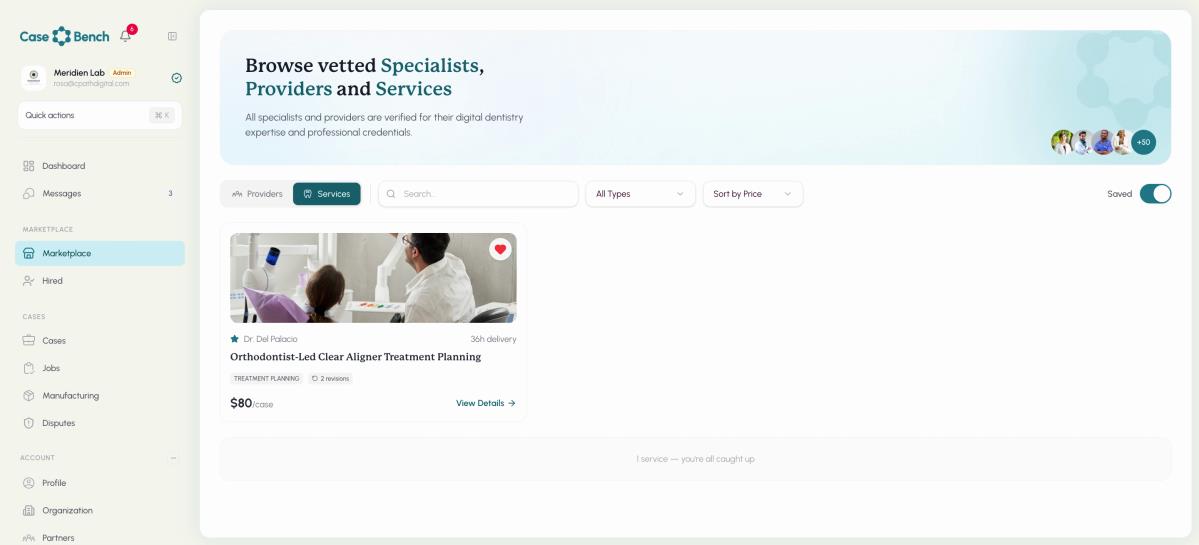
      Step 9: To shortlist providers or services for later, click the heart icon ("Love Heart"). Then click Save to add them to your saved list.
    Before assigning a job or project to a provider, make sure you’ve hired them first through the Marketplace. This ensures smooth project management and access to all tracking features. The Marketplace streamlines the process of finding, reviewing, hiring and managing professionals or services. Use these steps to build the perfect team or find just the right service for your needs.

    Newsletter

    Subscribe for insights that help you work smarter, not harder.

    Subscribe